
There is a ton of valuable information contained on videos. Much of it is training that you know you have wanted to get through, if only you had the time.
Well, I have discovered a way to speed that time up. In fact, you can double the speed of the video just by using this neat little trick. Here's how it's done.
Step 1
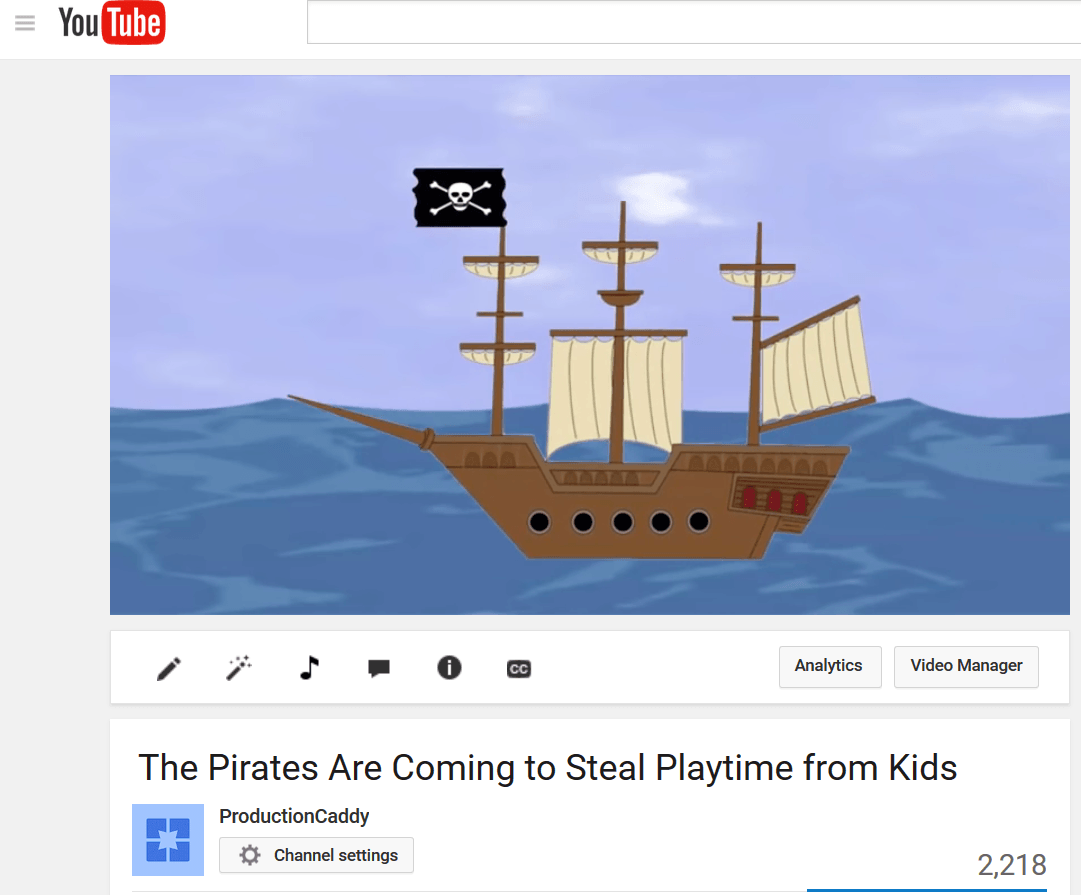
Go to YouTube and look for any video.
Step 2
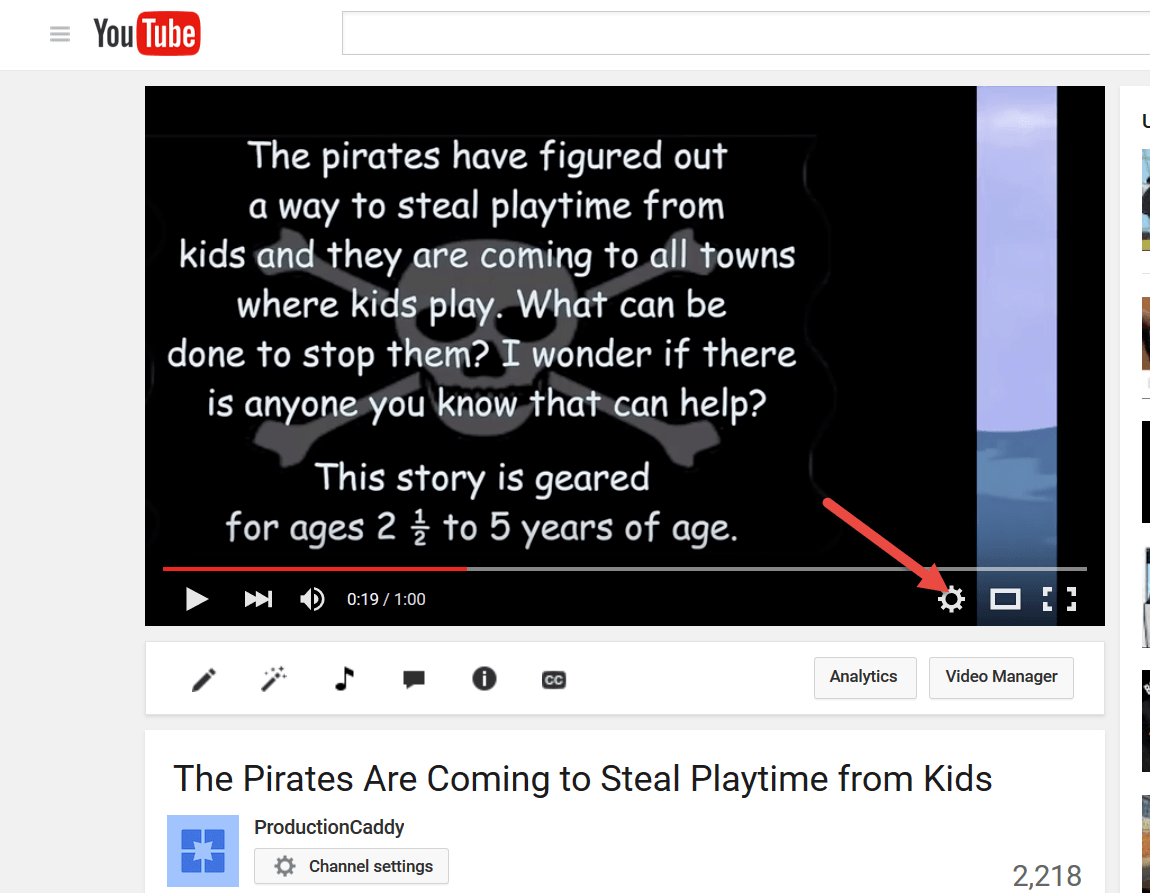
Click on Settings (Shown with Red Arrow)
Step 3
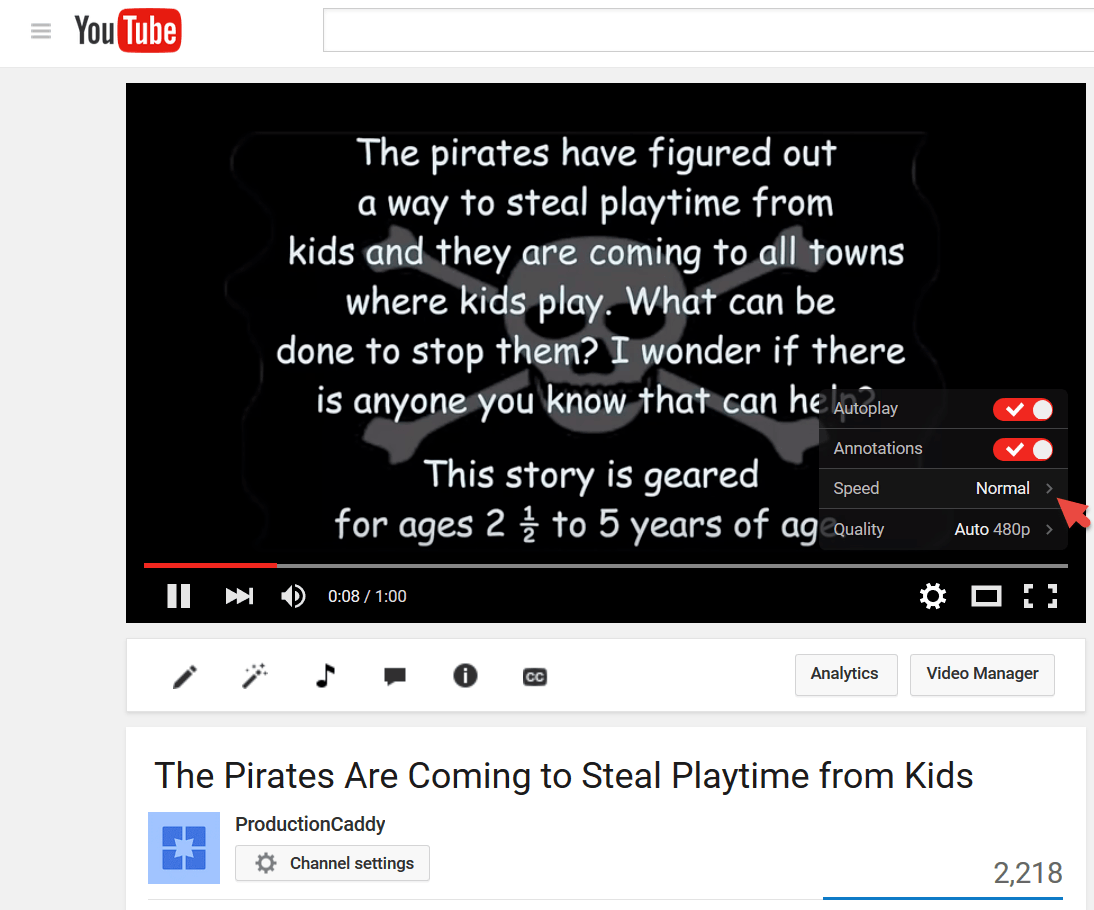
Click on the Speed option (defaults to Normal)
Step 4
Choose the Desired Speed
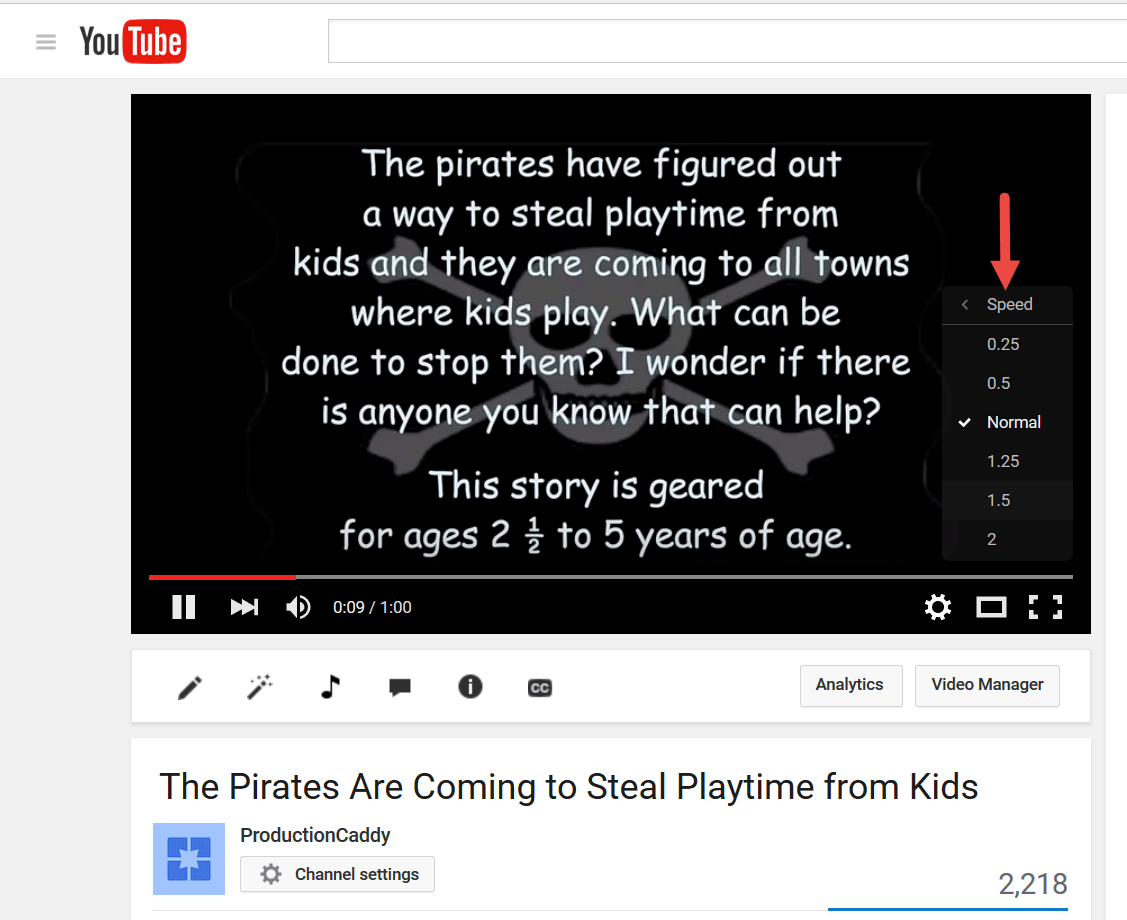
Example Video
The example video used is a trailer to my children's book, "The Pirates are Coming: To Steal Playtime From Kids". It is available on Amazon for way less than the cost of a cup of Starbucks coffee.

What This Could Be Used For
Maybe you just want to get a quick overview of a concept OR
You already saw a video and want to quickly get to one area of the video but are not clear where it is OR
You just want a quick way to view training videos in half the time than normal
Note: you may have noticed that you can slow videos down as well. This could be useful if something on the video was too fast to catch (like a guitar riff).
I am sure now that you are equipped with this really awesome tip, you will have more time to view those videos you put on the back burner. Now get going and view some videos!
Like This Tip?
Hey, if you liked this tip, why not let me know about it in the comments below. Also, share it with your friends. I bet they'd like it too!
This is a must use hack for watching videos! I used to do this in college when I took online classes.
We can process many more words per minute than people usually talk. I would only have to pause the video when I wanted to write something down.
Thanks for sharing I am definitely using this!
Hey Jeremy, thanks for your comment. I agree. I use this all the time for both videos I have already seen and want a quick review or for when the video creator puts in too much fluff and I want to get to the good parts. As you stated, it’s also good for slowing down videos when you want to write down what was said.
Best Regards,
Jim